


New article
Recently updated
Activating and distributing a Document

Who is this article for?Users responsible for making a Document live.
Document Activate and Document Distribute permissions are required.
Once a draft has been approved, it needs to be activated. An activated Document should then be read and acknowledged by all relevant users.
This article walks you through the process of activating and distributing Documents.
1. Activating a Document
To activate a draft Document:
- Access the Documents module
- Select Documents.
- Open the Document record.
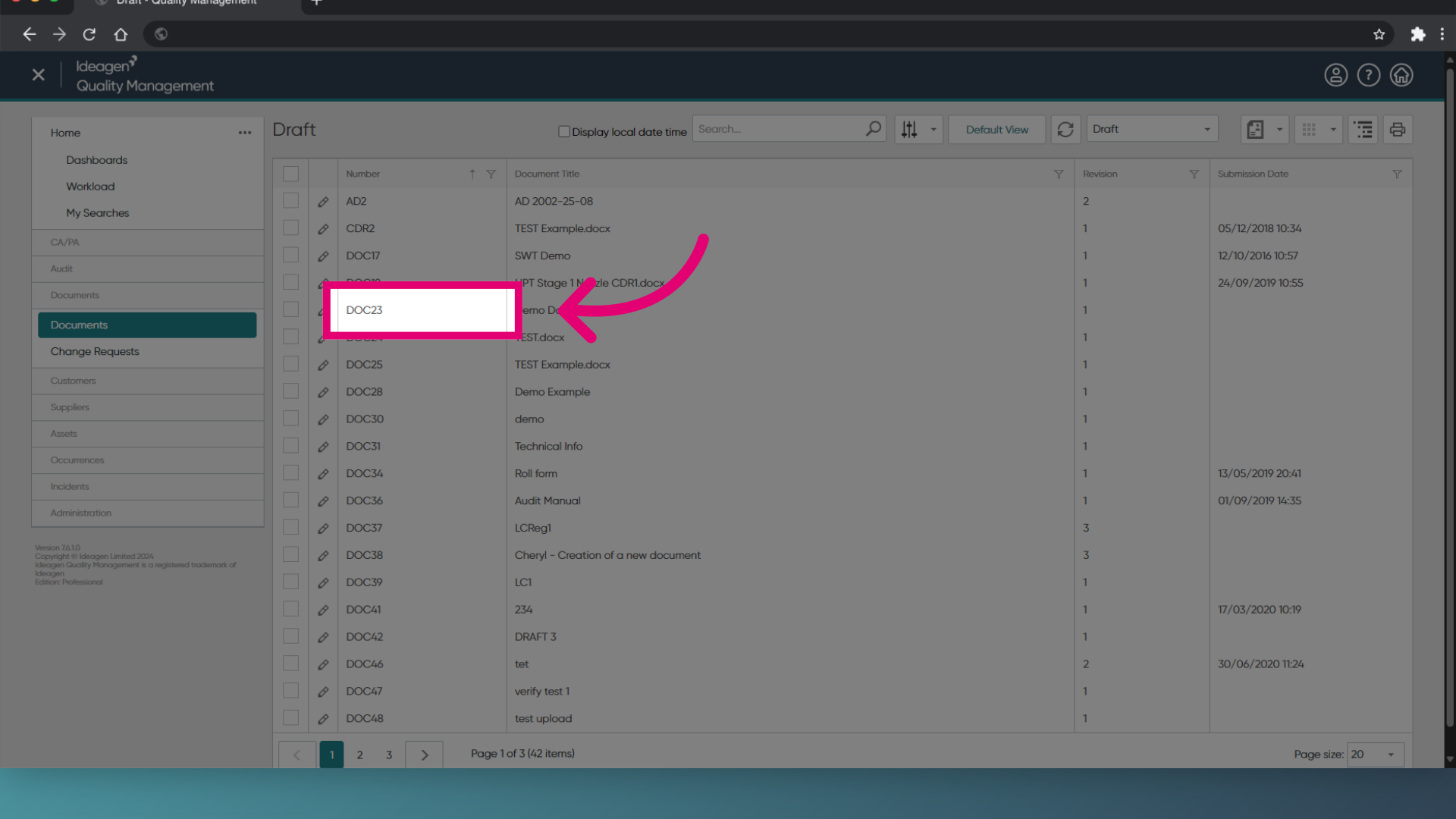
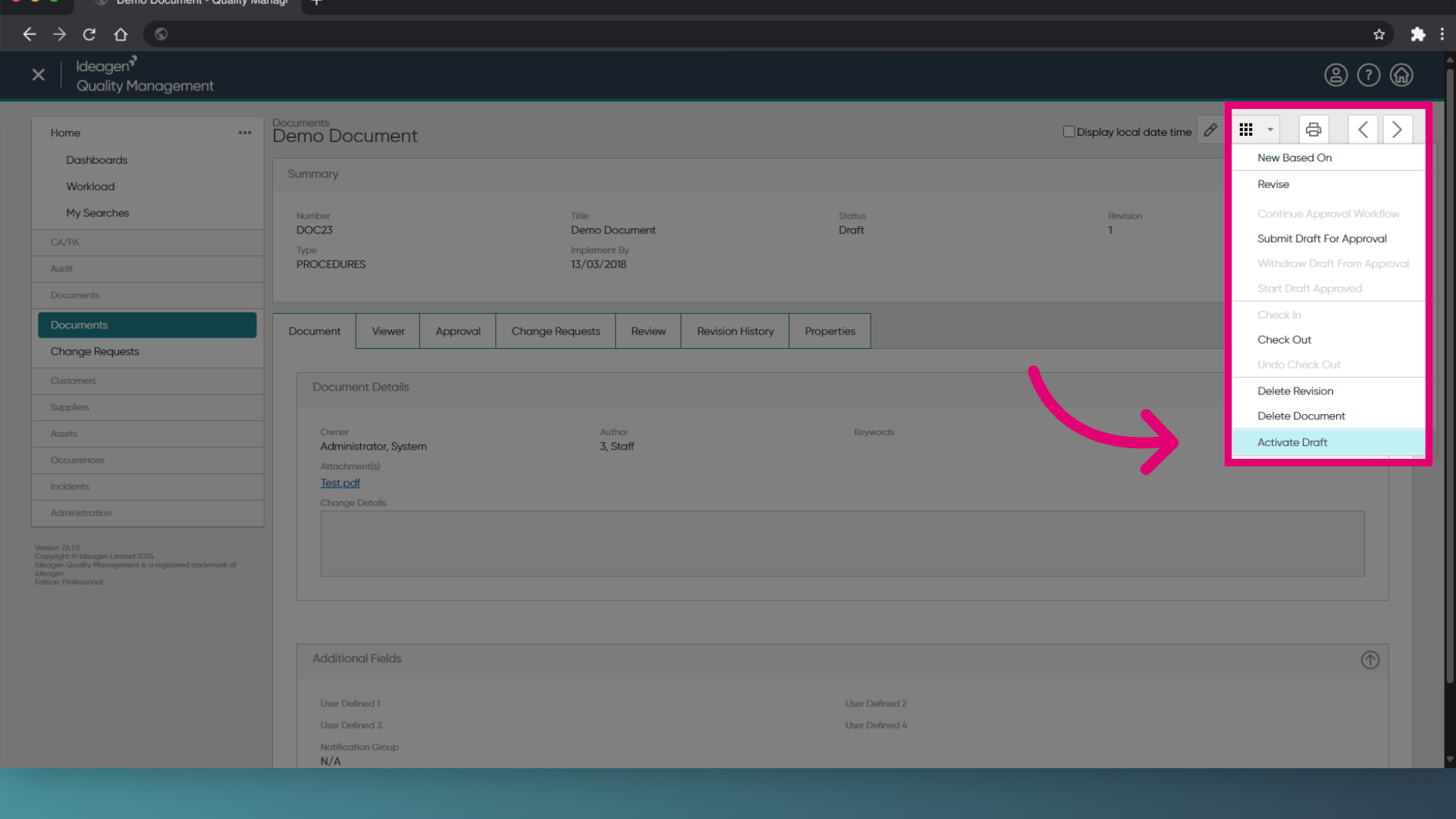
- Open the Actions menu.
- Choose Activate Draft.
- Click OK.
2. Distributing a Document
To distribute a Document:
- Open the Document record.
- Click Edit (Pencil icon).
- Switch to the Distribution tab.
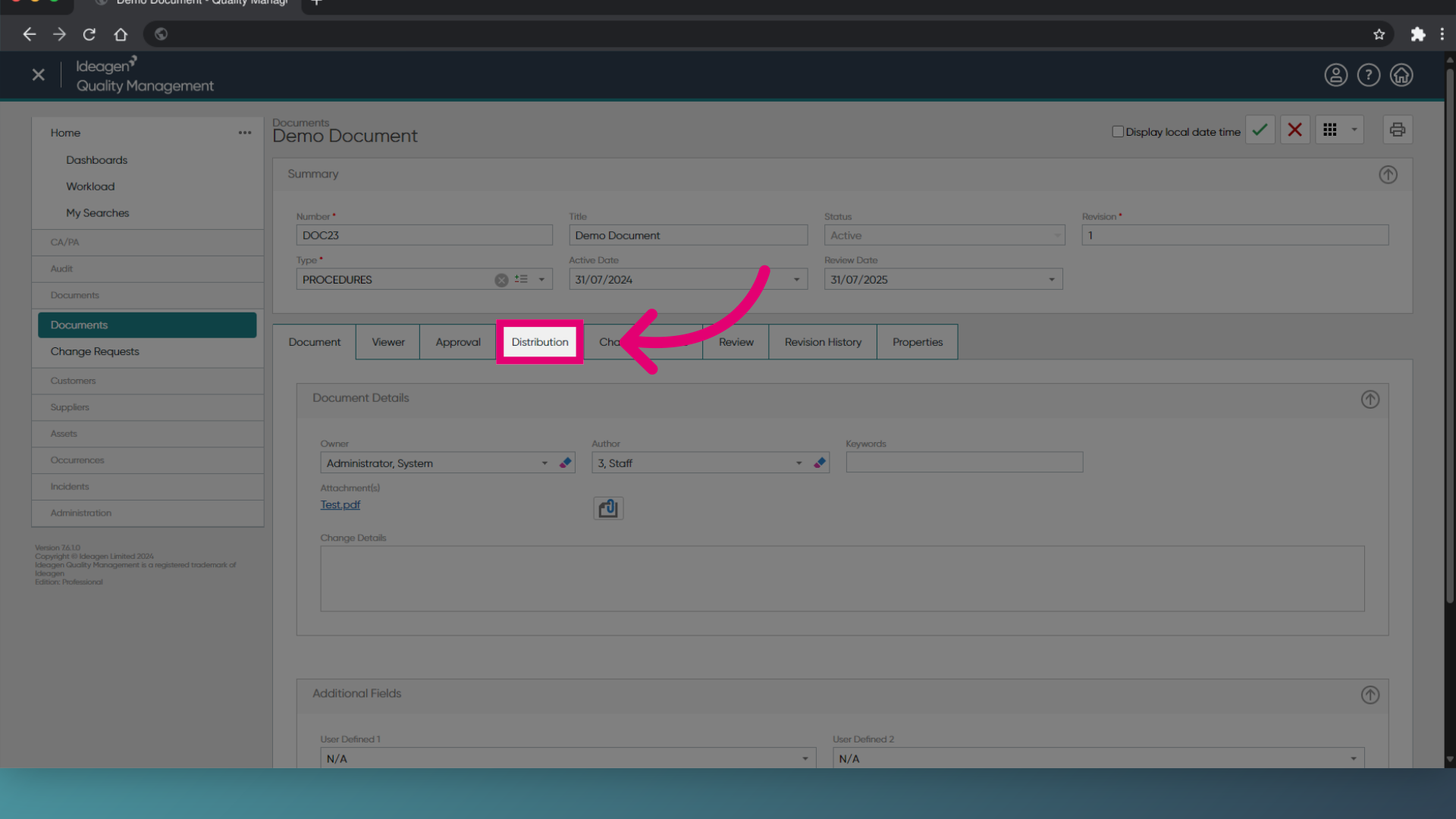
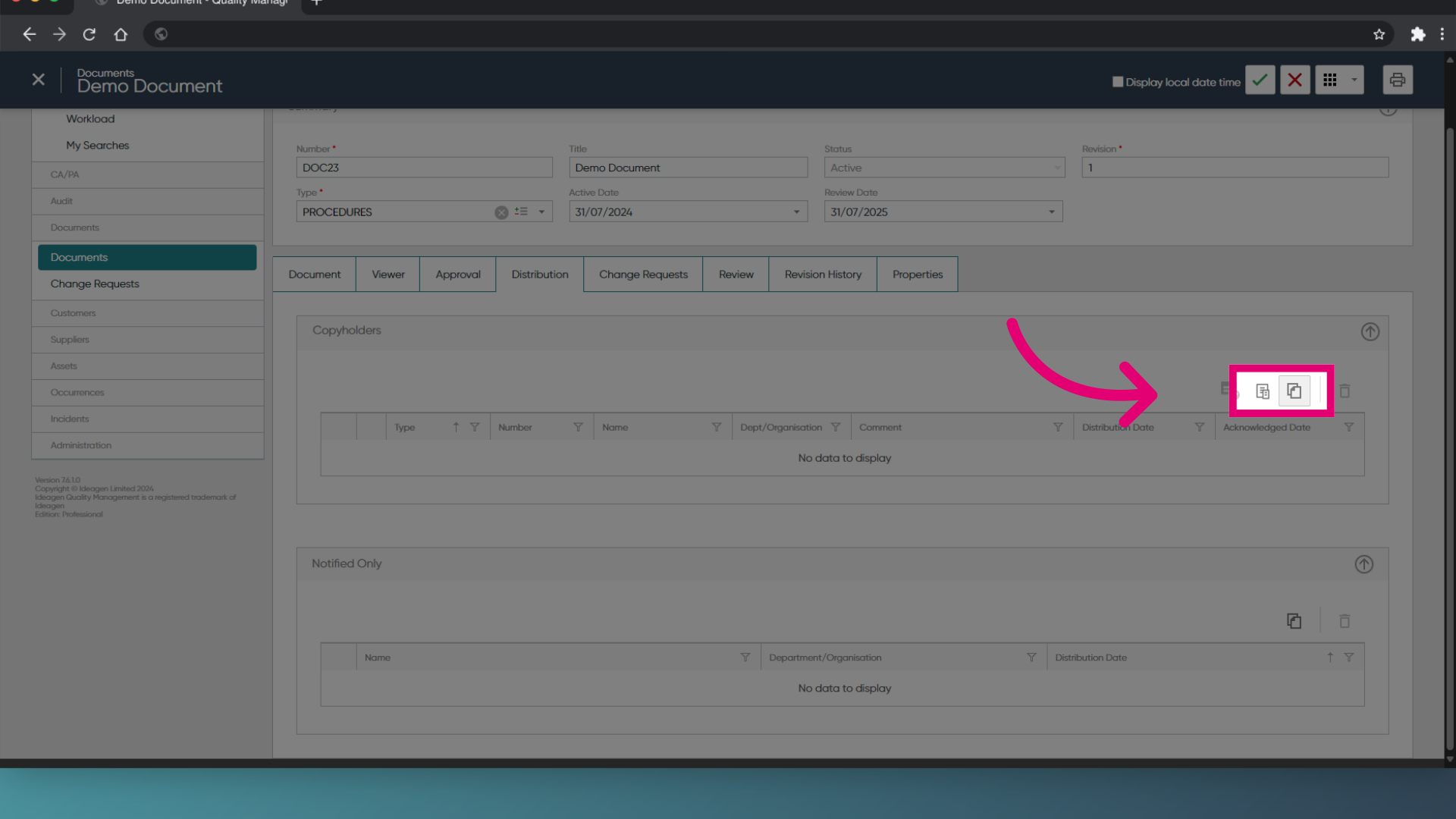
- Click Add Person.
Alternatively, you can click Apply Copyholder Template to add multiple users based on a preset template. These are users who will need to read and acknowledge receipt of the Document.
- Search for the user you want to distribute to.
- Tick the box next to each relevant user.
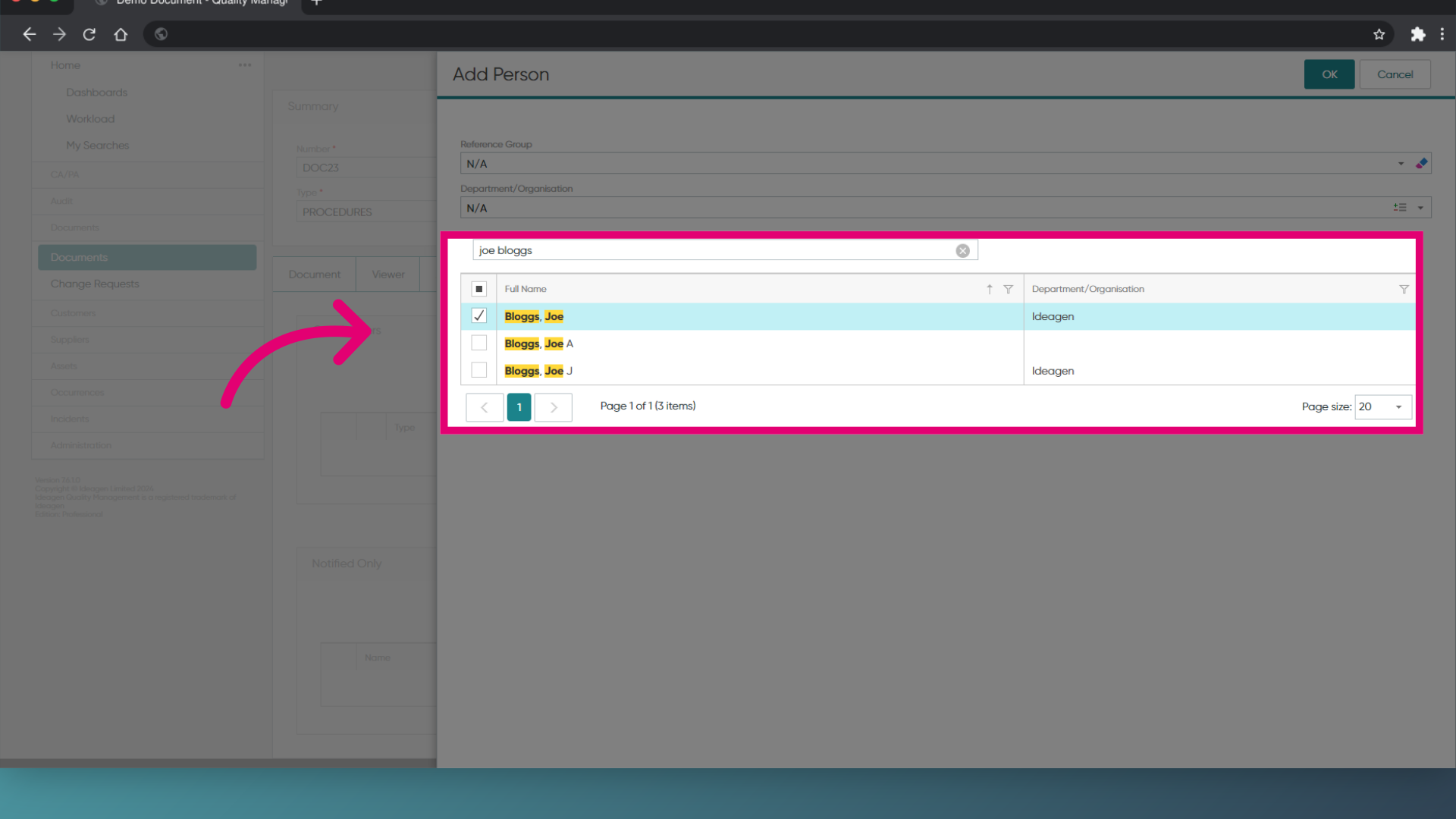
- Click OK.
- Open the Actions menu.
- Select Distribute.
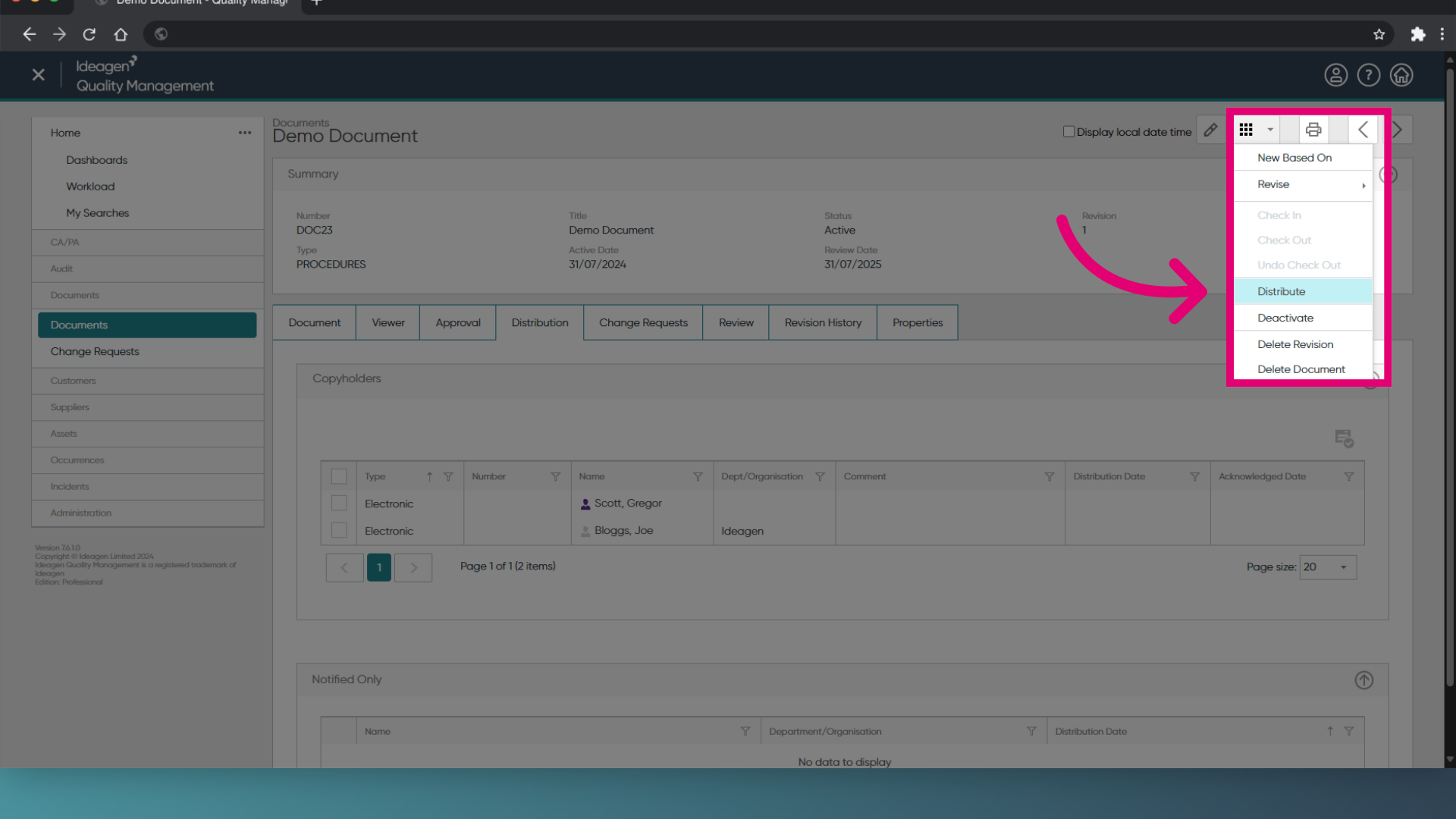
- Click Save (Tick icon).
Want to inform people who are not copyholders that the Document was distributed?
Follow the same steps in the 'Notifications' section of the Distribution tab to inform the assigned users about the Document going live.
1. Activating a Document
To activate and distribute a Document:
- Access the Documents module
- Open the Document record.
Alternatively, you can right-click the record in the list view. - Click Activate Draft.
- Click Next.
- Enter relevant Change Details.
- Click Next.
- Add Copyholders.
These are users who will need to read and acknowledge receipt of the Document.
- Click Next.
- Review the changes.
- Click Finish.
Want to inform people who are not copyholders that the Document was distributed?
Follow the same steps in the 'Notify Only' tab to inform the assigned users about the Document going live.
2. Distributing a Document
To distribute a Document:
- Open the Document record.
Alternatively, you can right-click the record in the list view. - Select Distribute Document.
You can also tick Automatically distribute the record on activation at the copyholder stage of activating the Document.