


New article
Recently updated
Approving a Document

Who is this article for?Users responsible for completing a Document approval.
Document Respond permissions are required.
If you are required to approve a Document, the system will notify you through your Workload Actions. You may also receive an email if messaging has been set up. It is your responsibility to review the Document and either approve or reject it, providing information that will help the Document Owner.
This article shows you where you can view approval responses from other approvers and submit your own.
1. Viewing other approvals
To view comments from other approvers:
- Access the Documents module
- Select Documents.
- Open the Document record.
-
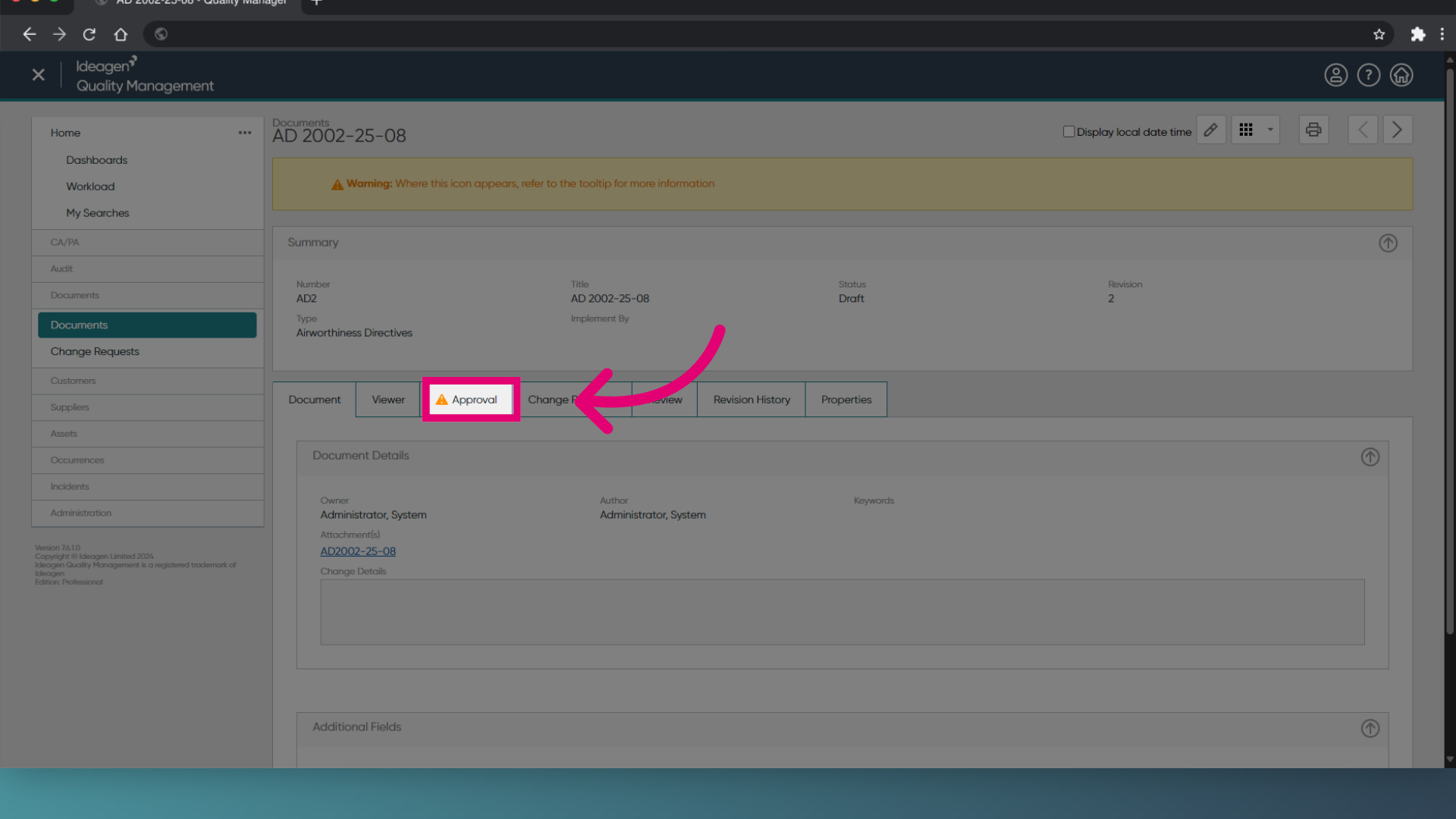
Switch to the Approval tab.
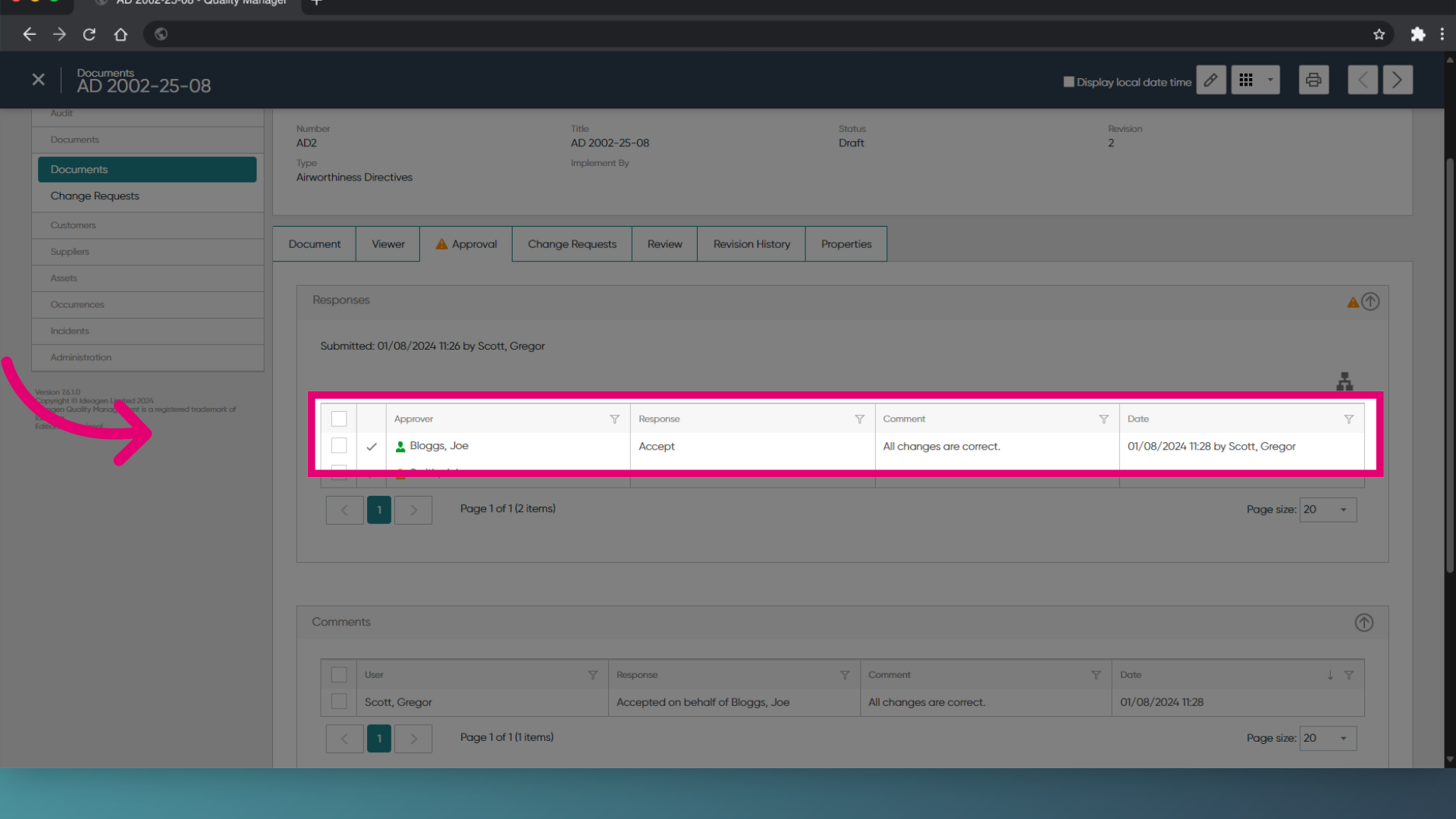
You can see the Response and Comment in the Approver's row.
- To view more information, click the row.
2. Completing an approval
To respond to an approval:
- Open the Document record.
- Switch to the Approval tab.
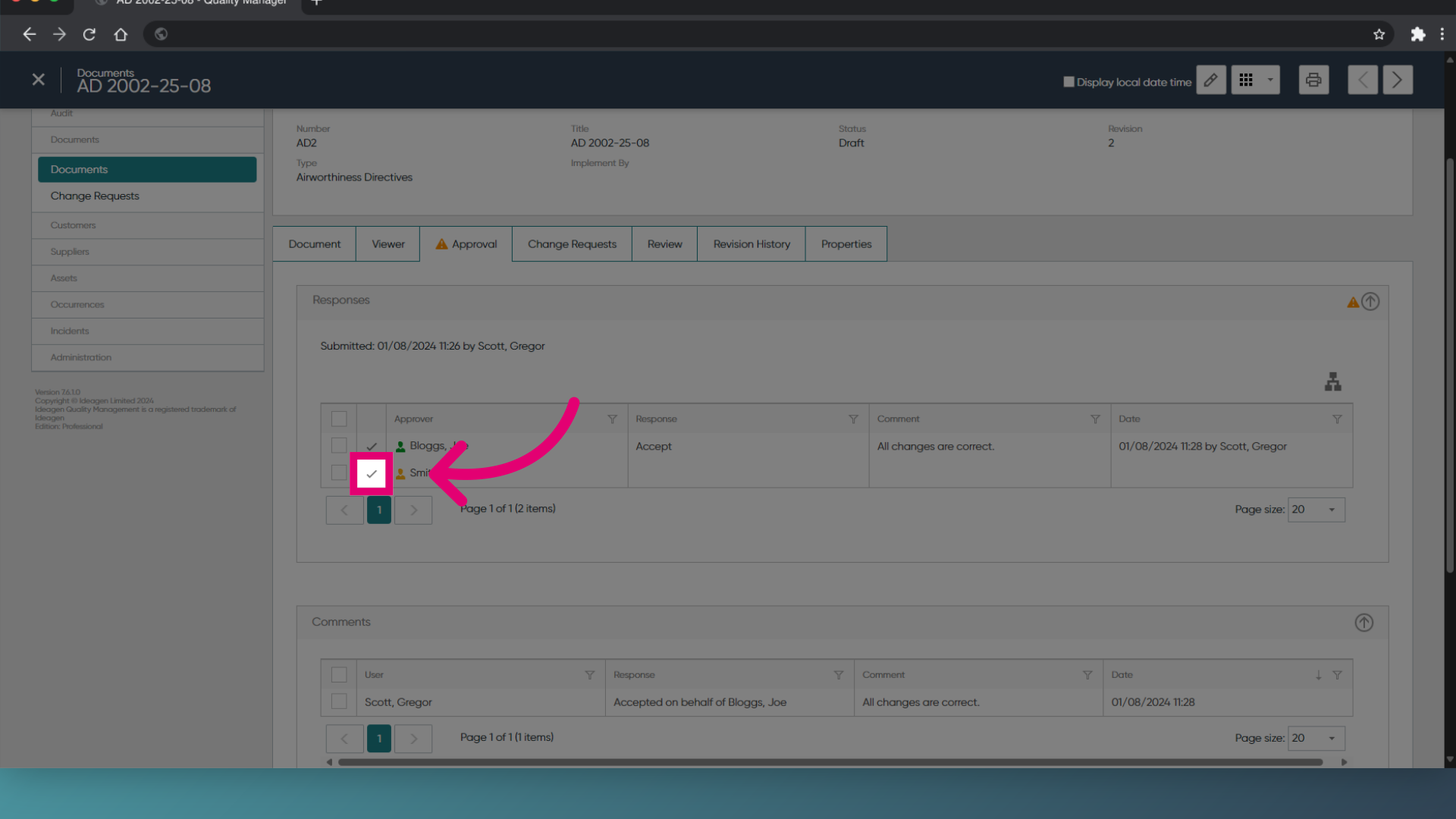
- Click Approve (Tick icon).
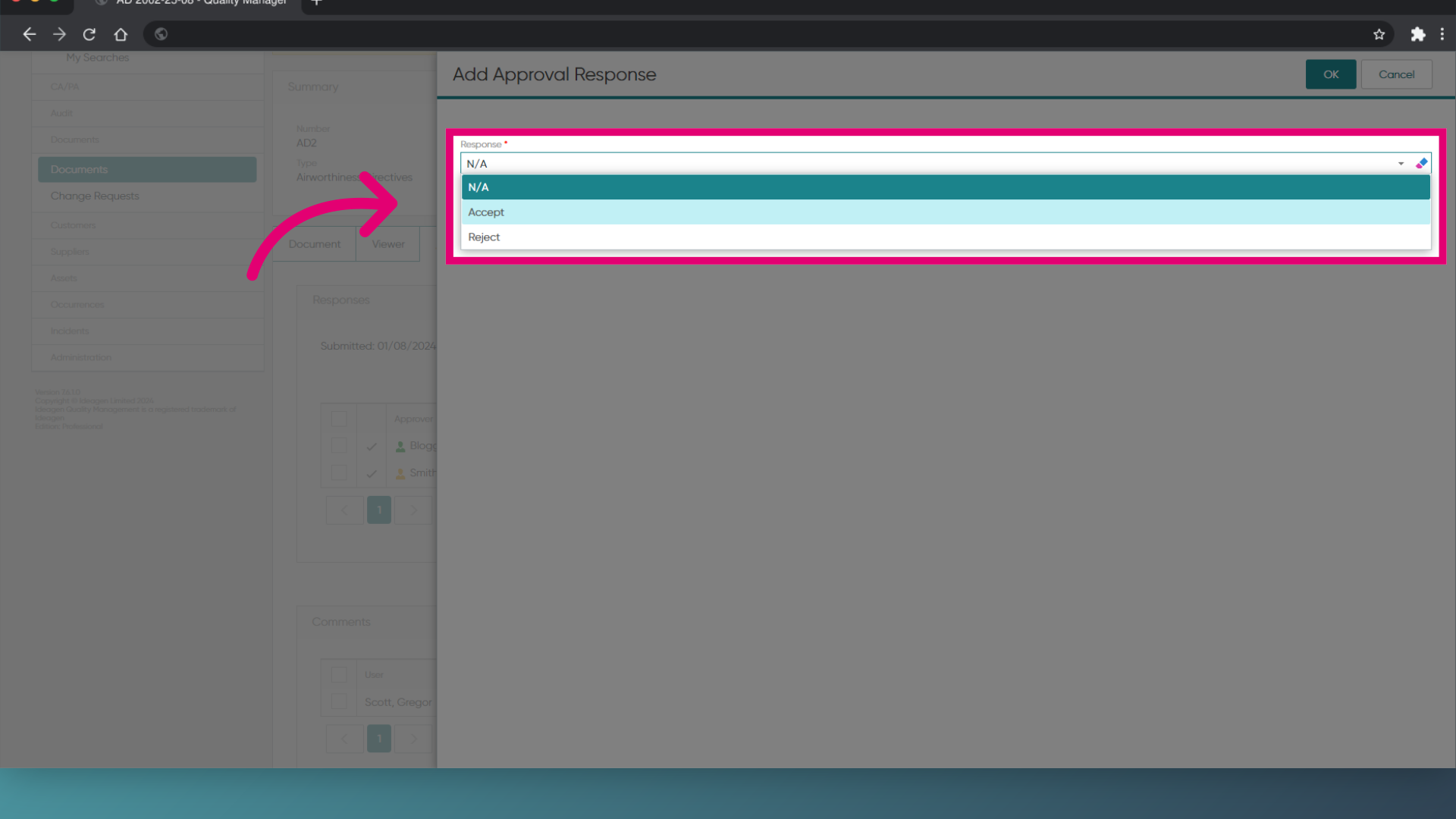
- Select your Response:
- Accept if the Document is suitable for activation.
- Reject if changes to the Document are needed.
- Enter a Comment.
- Click OK.
- Click Save (Tick icon) to save the record.
Are you being asked to provide a signature?
Depending on the Document Type, you may be asked for an electronic signature. To complete the approval process, enter your system credentials and click Sign.
1. Viewing other approvals
To view comments from other approvers:
- Access the Documents module.
- Open the Document record.
- Expand the Approved By section.
You can see the Response and Comment in the Approver's row. - To view more information, right-click the row.
- Select View approval History....
2. Completing an approval
To respond to an approval:
- Open the Document record.
- Expand the Approved By section.
- Highlight your name.
- Click Add approval Response....
- Select your Response:
- Accept if the Document is suitable for activation.
- Reject if changes to the Document are needed.
- Enter a Comment.
- Click OK.
- Click Save to save the record.
Are you being asked to provide a signature?
Depending on the Document Type, you may be asked for an electronic signature. To complete the approval process, enter your system credentials and click Sign.