


New article
Recently updated
How to Build a Risk Matrix in Ideagen Quality Management

To configure risk matrices:
- Launch Ideagen Quality Management
- Open the Incidents Module
- Click on [Edit], then [Risk Matrices]
- Click [File], then [New Matrix] to launch the Risk Matrix creator window.
?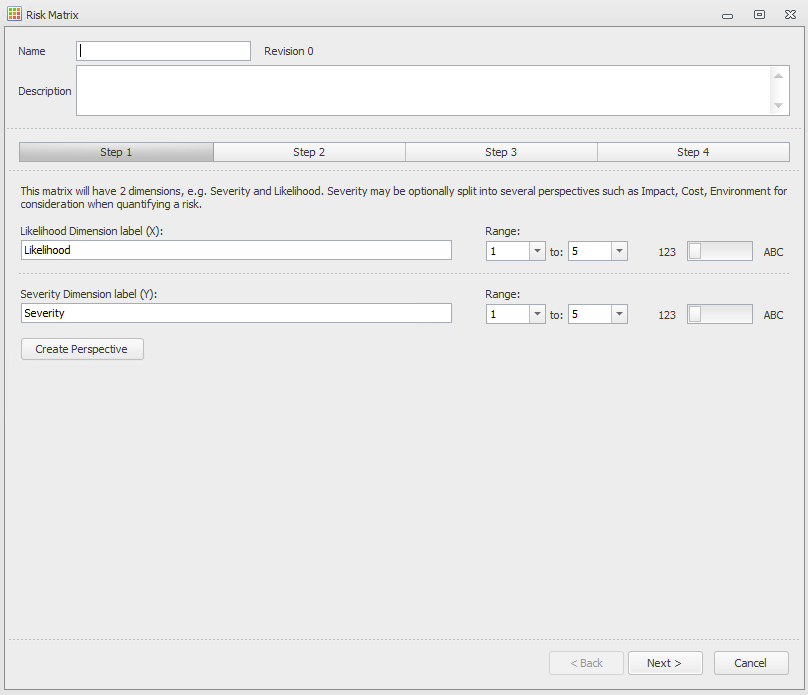
Each Matrix has:
- A Name and a Description
- A Likelihood and Severity rating
- Up to 10 extra severity perspectives (e.g. environment, reputation, financial)
In addition, each combination of severity and likelihood must be assigned a decision aid, colour band and suggested action. Each risk matrix also has a revision number.?
- Enter a Name, Description and label your X &Y Axis. You can then add in any Perspectives of severity as below
- Enter the Decision Aids that you will use for your X & Y Axis as below
- You can then configure your Bandings with Labels, Actions and Colours as below.
- Your completed Risk Matrix will then look as below.
- Launch the Incident Module
- Click on [Edit], then [Incident Templates]
- Double Click on the desired Template.
- Click the Risk Assessment tab
- Click the [Add] icon to add a risk assessment