


New article
Recently updated
Performing a Top Number Analysis

To perform a top number analysis:
- Launch the Analysis module
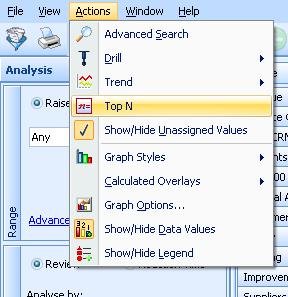
- Click on [Actions], and then [Top N]
- Select the top number of rows you would like to filter on (e.g. your top 5 results)
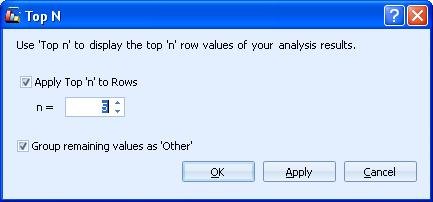
Please Note: Checking the Group remaining values as 'Other' option will add a sixth option to the list which contains all other values.
To switch off the Top Number analysis, click on [Actions], then [Top N] and uncheck the Apply Top 'n' to Rows option.