New article
Recently updated
Viewing password protected documents

Who is this article for?
Users interacting with a protected PDF file in the Document Viewer.
Attachment Save & Send permissions are required.
To prevent unauthorised access to sensitive documents, your Administrator may enable password protection for files in the Document Viewer.
This article shows you how you can view password protected documents.
1. Viewing password protected documents
To view protected documents:
- Access the Documents module.
- Open the document you wish to view.
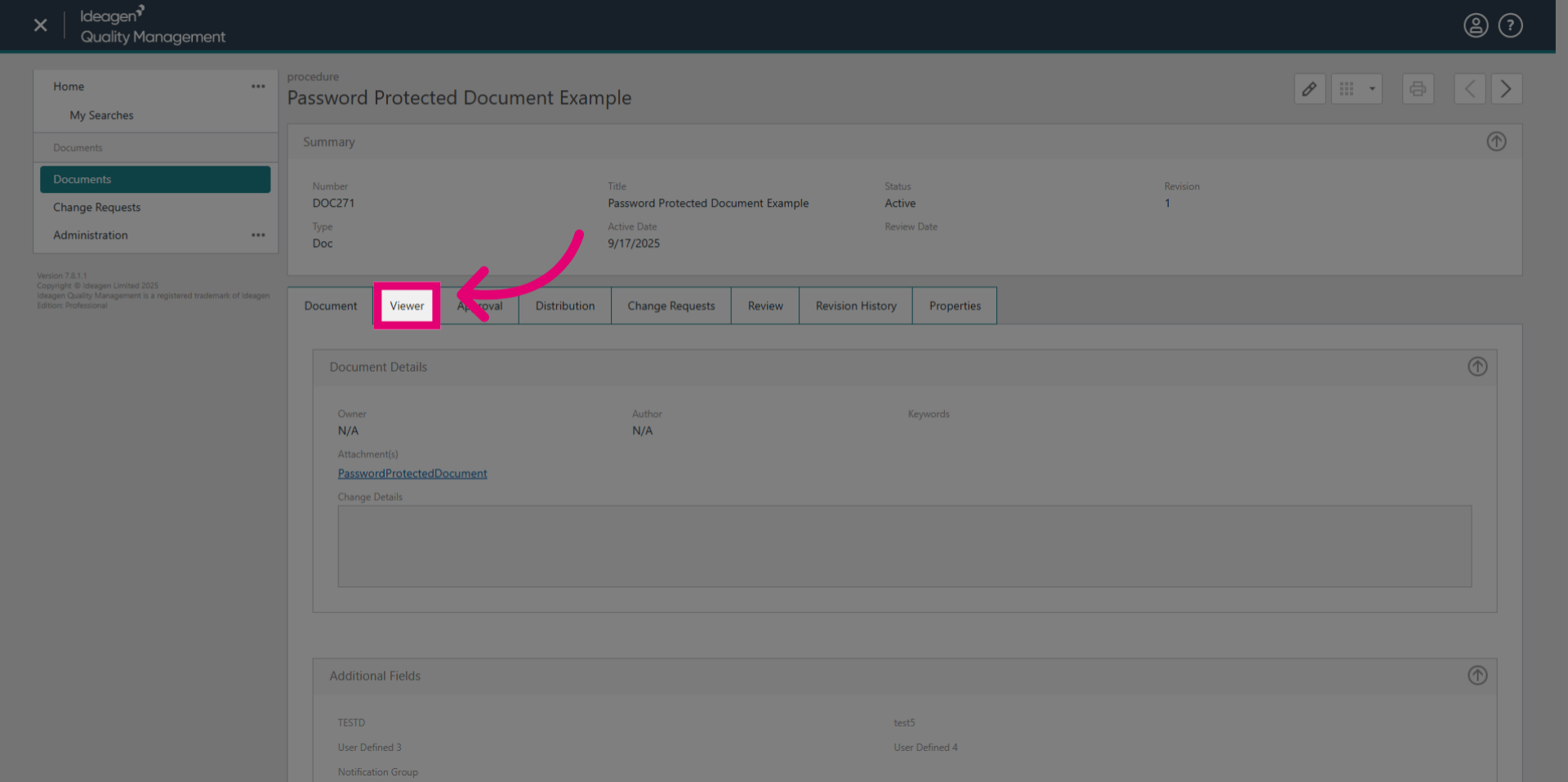
- Switch to the Viewer tab.
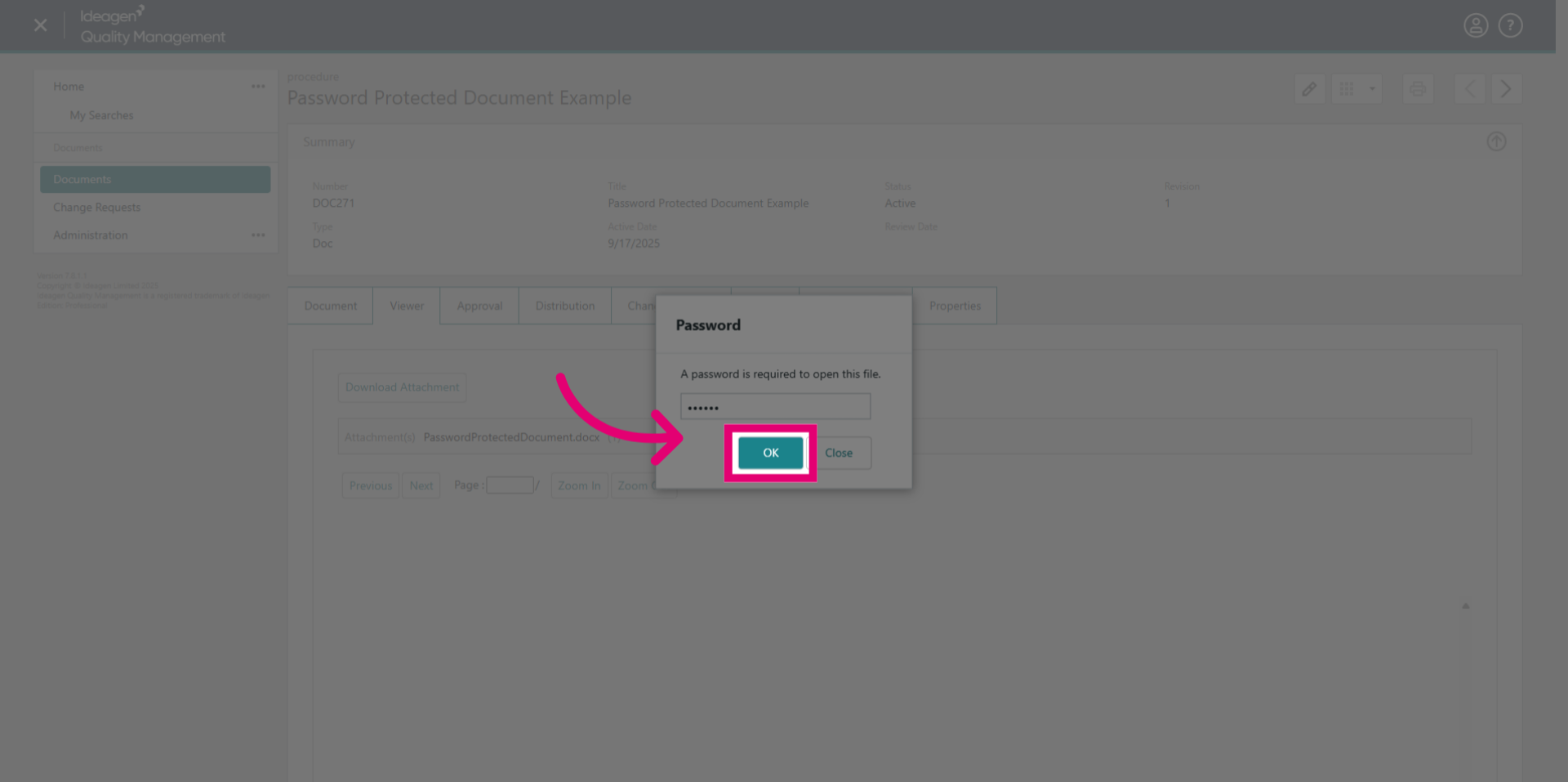
- Enter the password set on the original document.
- Click OK.
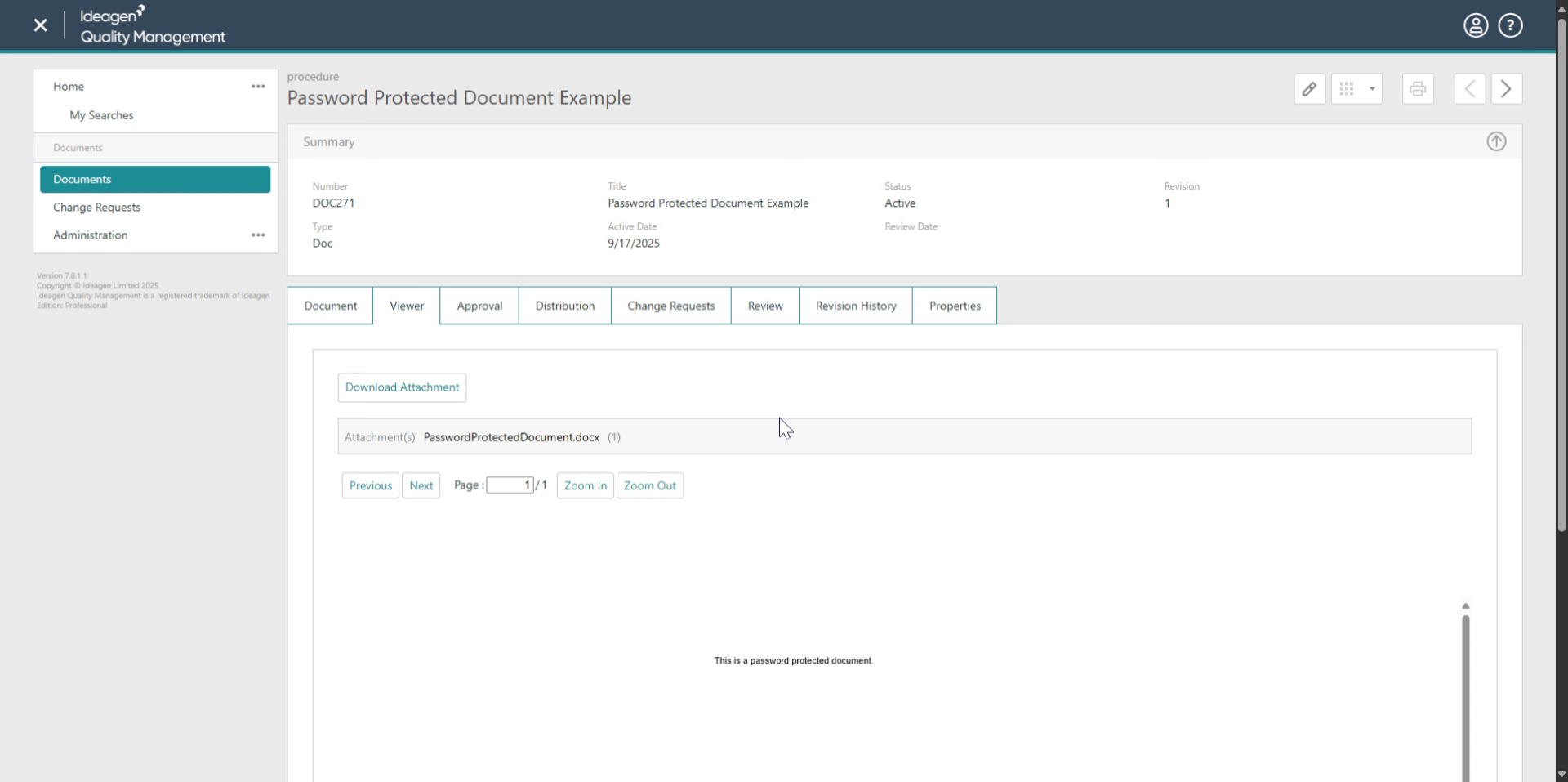
If the password is correct, the document will be displayed within the viewer, allowing you to read it directly, without additional downloads.