


New article
Recently updated
Adding a contact to a customer

Who is this article for?Users responsible for managing customer accounts.
Customer Edit permissions are required.
Customer contacts are added to customer records so that customers can be managed easily. Contacts can be used to identify who is responsible for certain levels of communication or even who should be involved should a customer audit take place.
This article outlines how to create customer contacts.
1. Creating a contact
To create a contact:
- Access the Customers module.
- Click Customers.
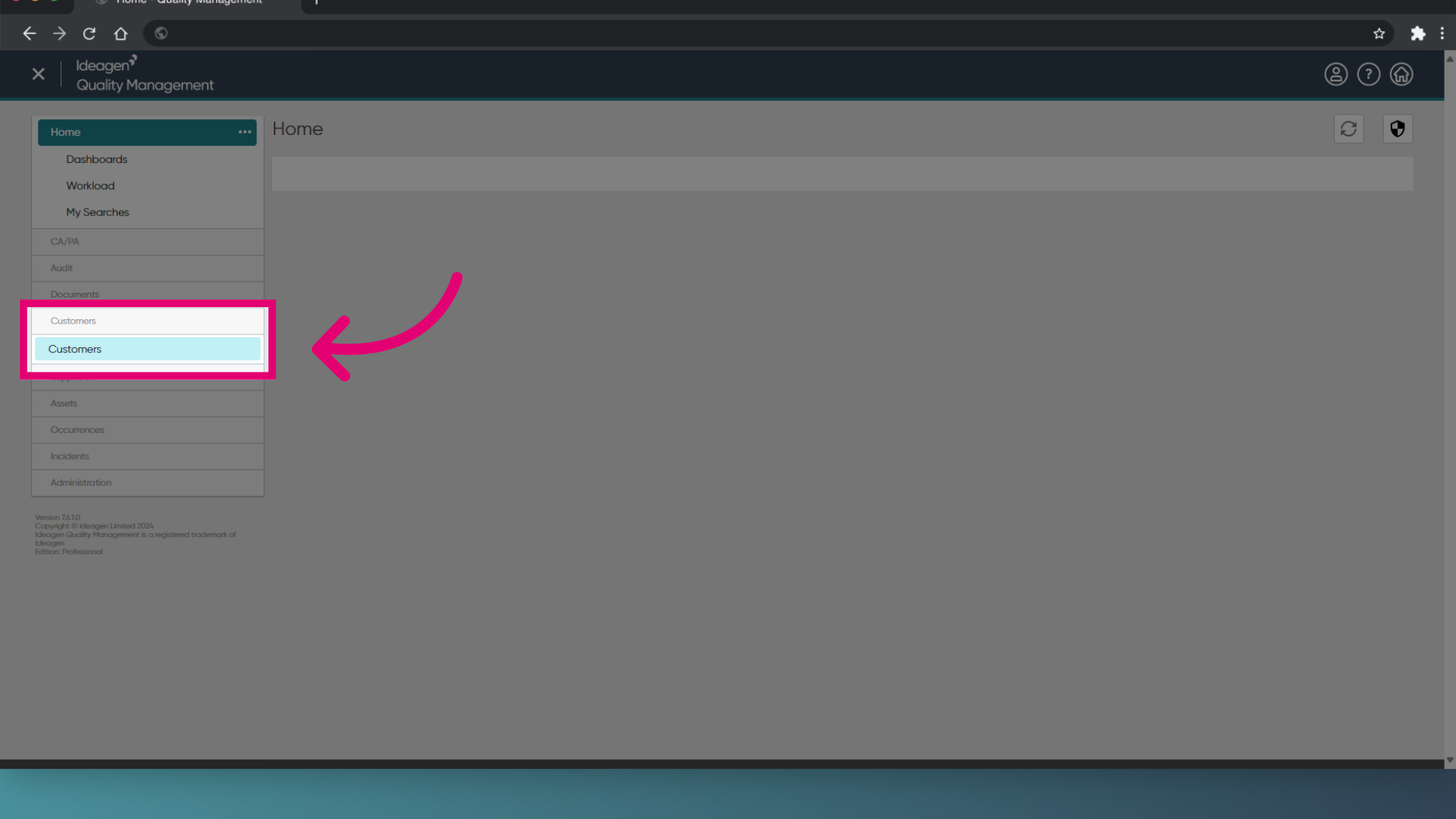
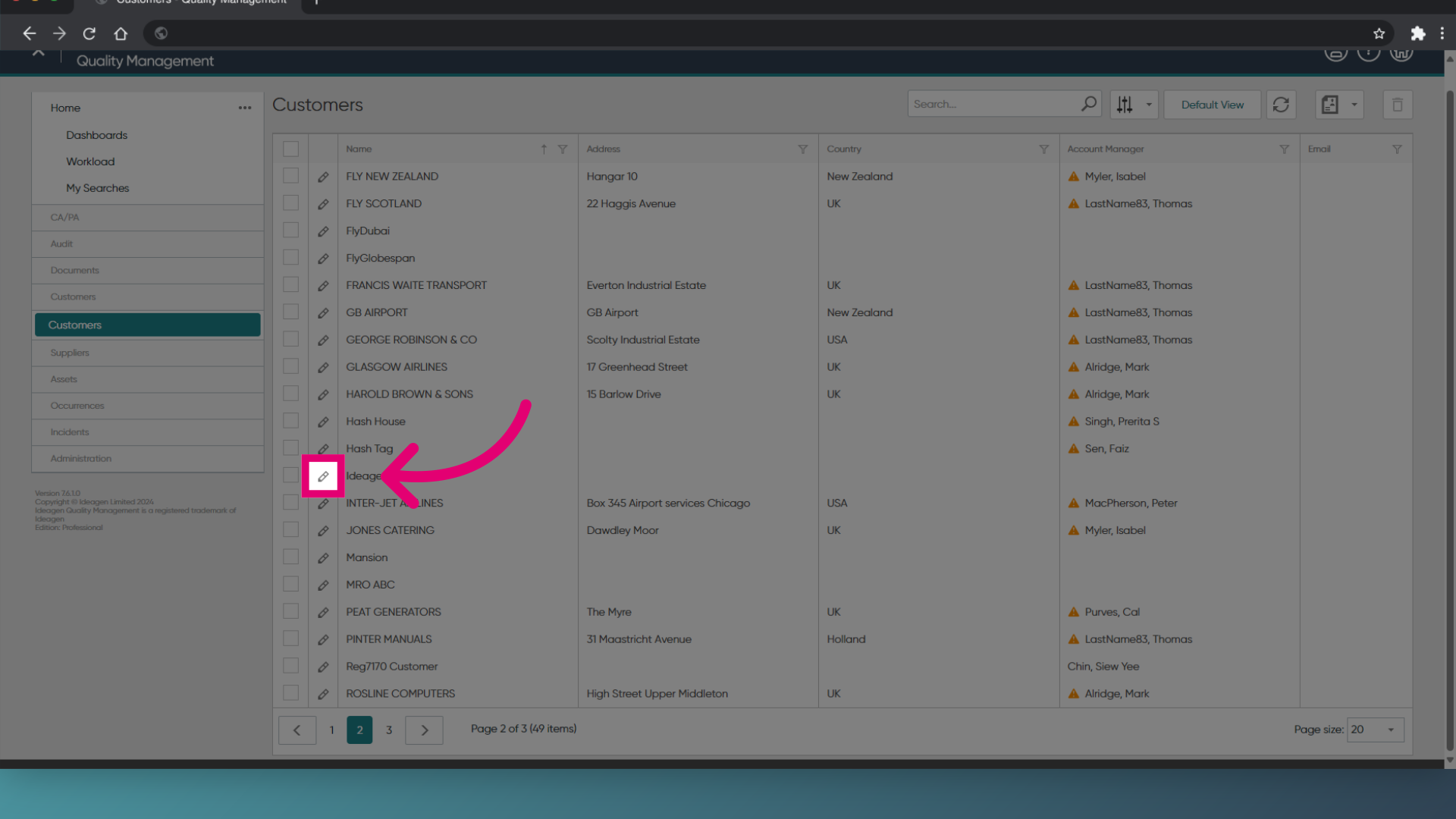
- Click on the Edit icon to edit a customer.
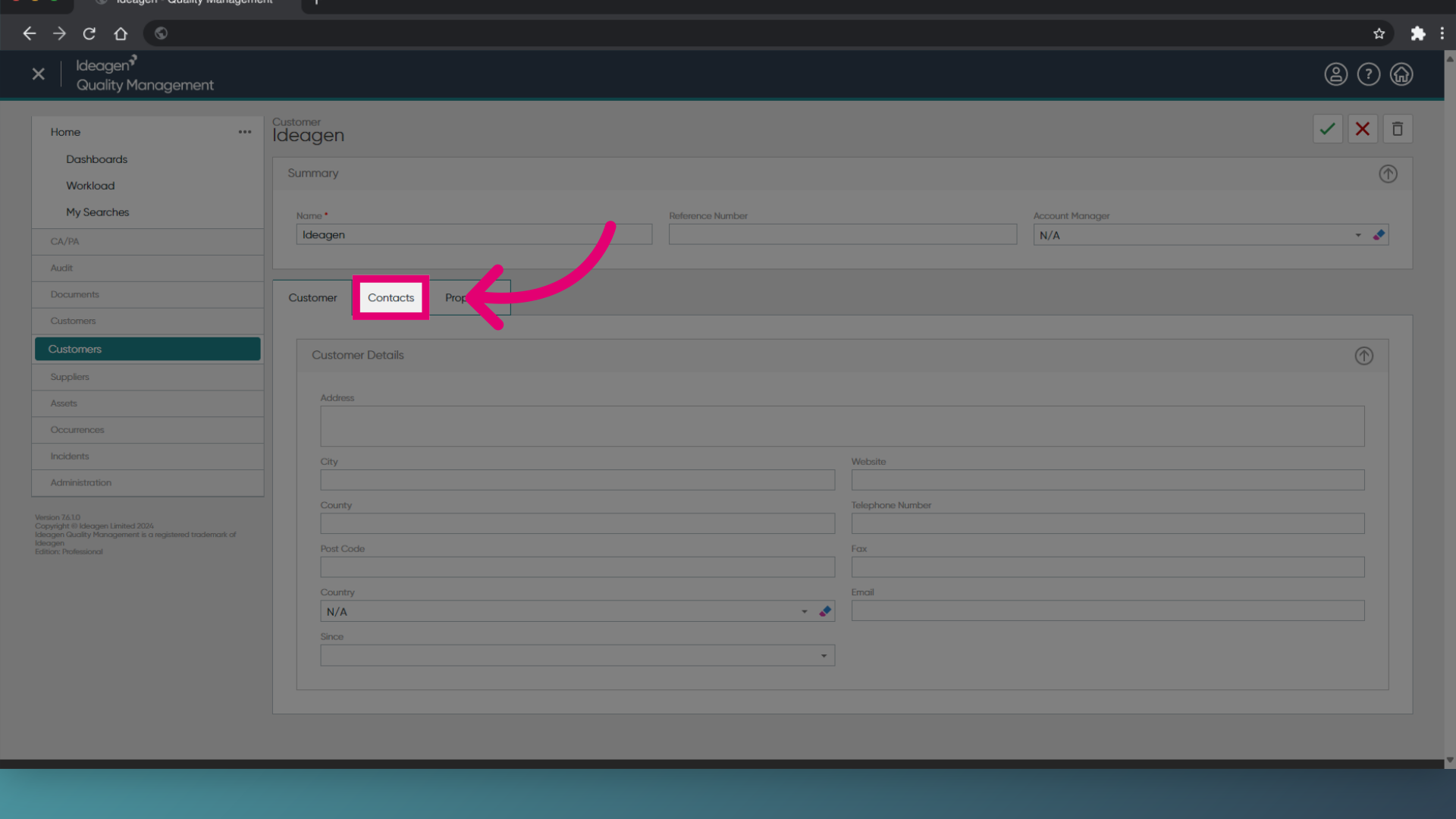
- Select the Contacts tab.
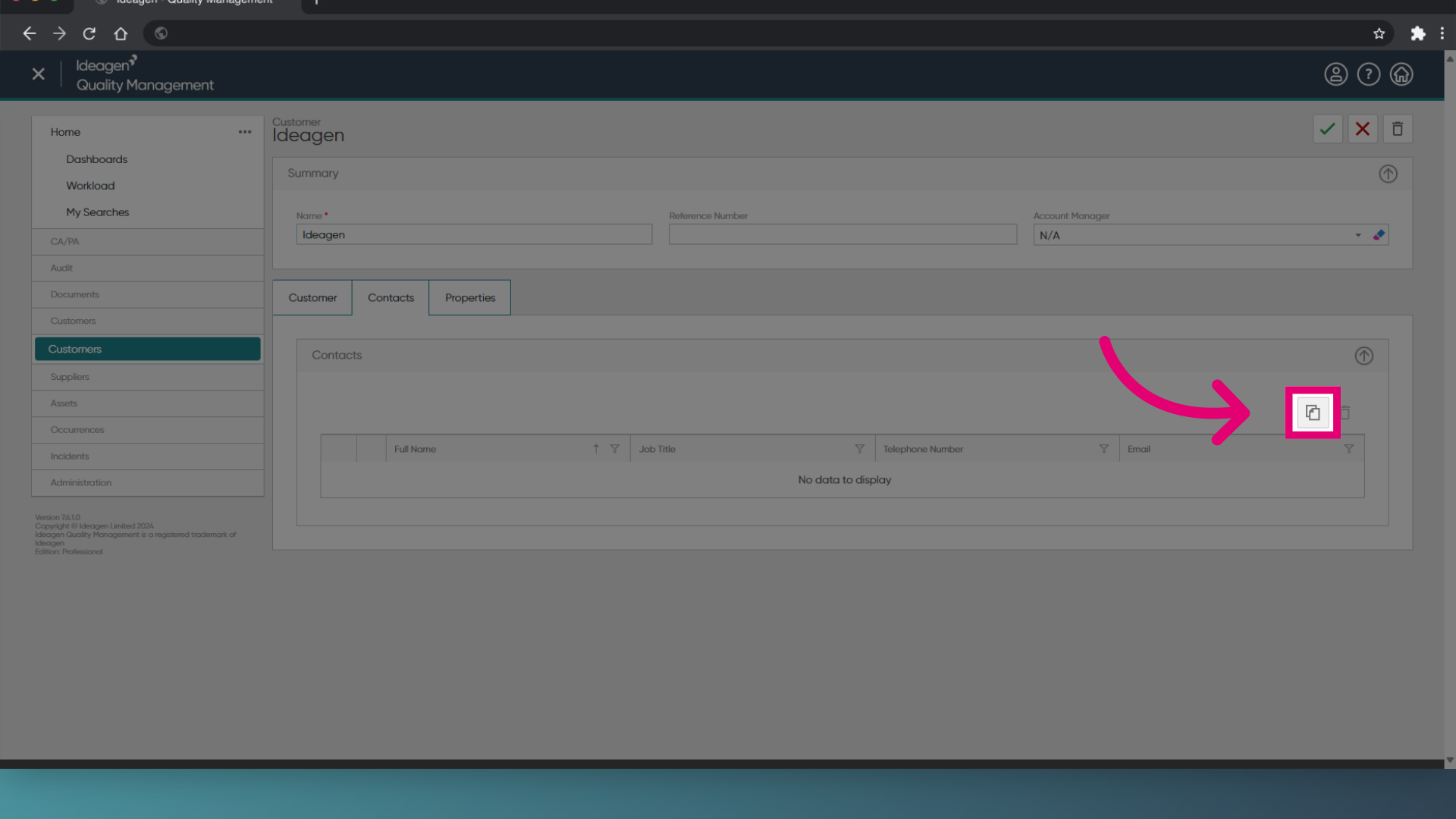
- Click on the New Contact icon.
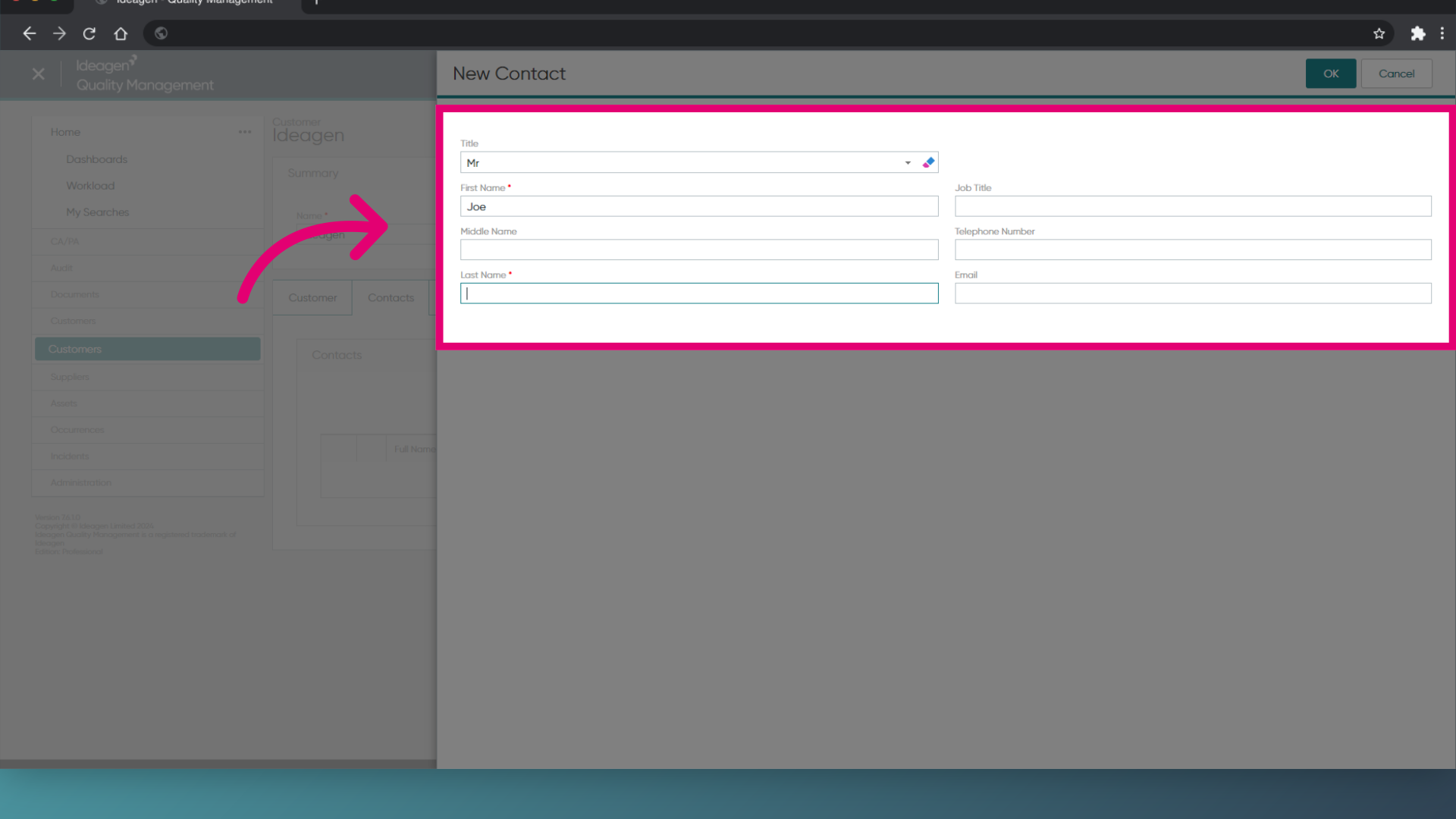
- Enter the relevant contact information.
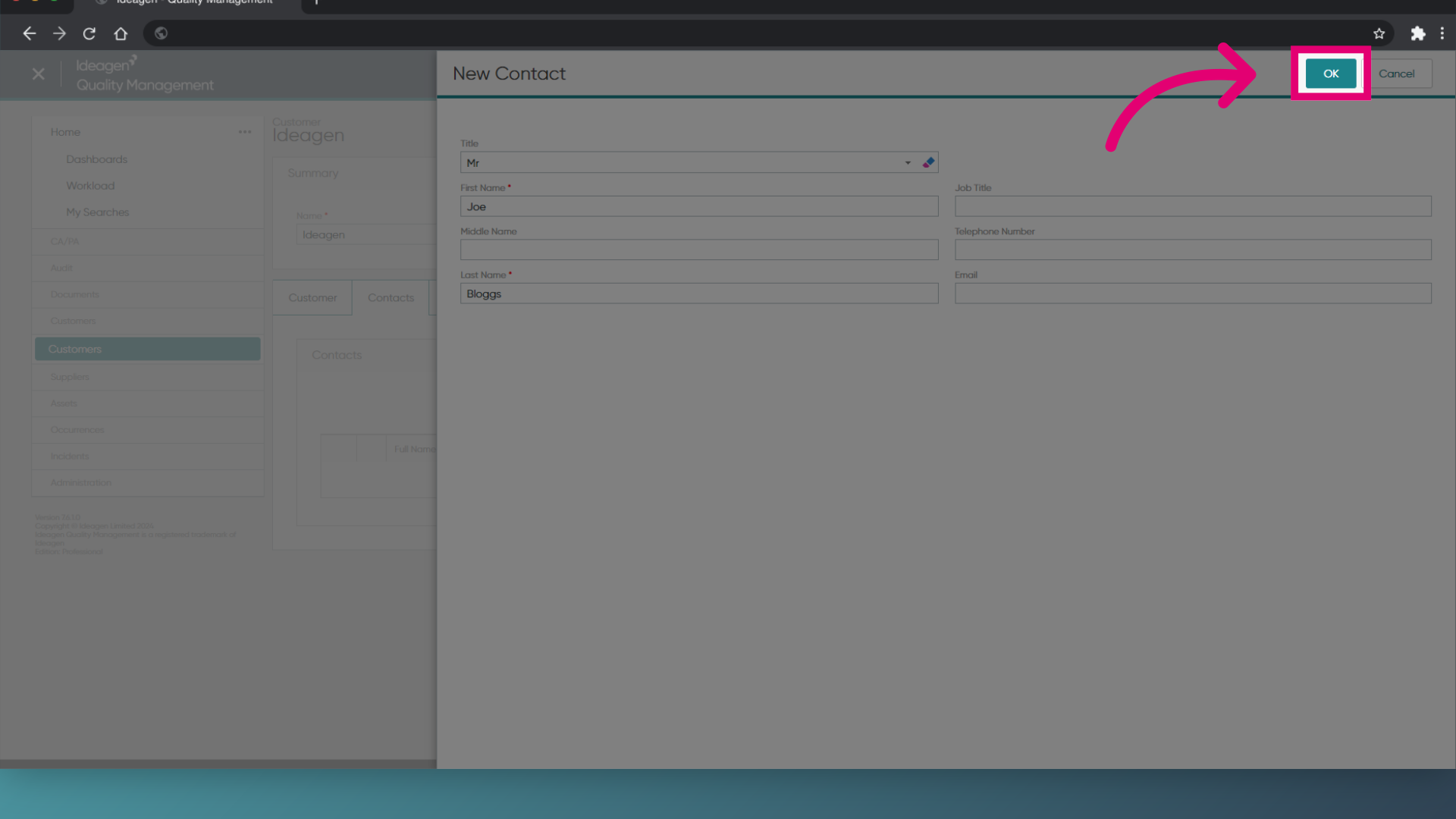
- Click OK.
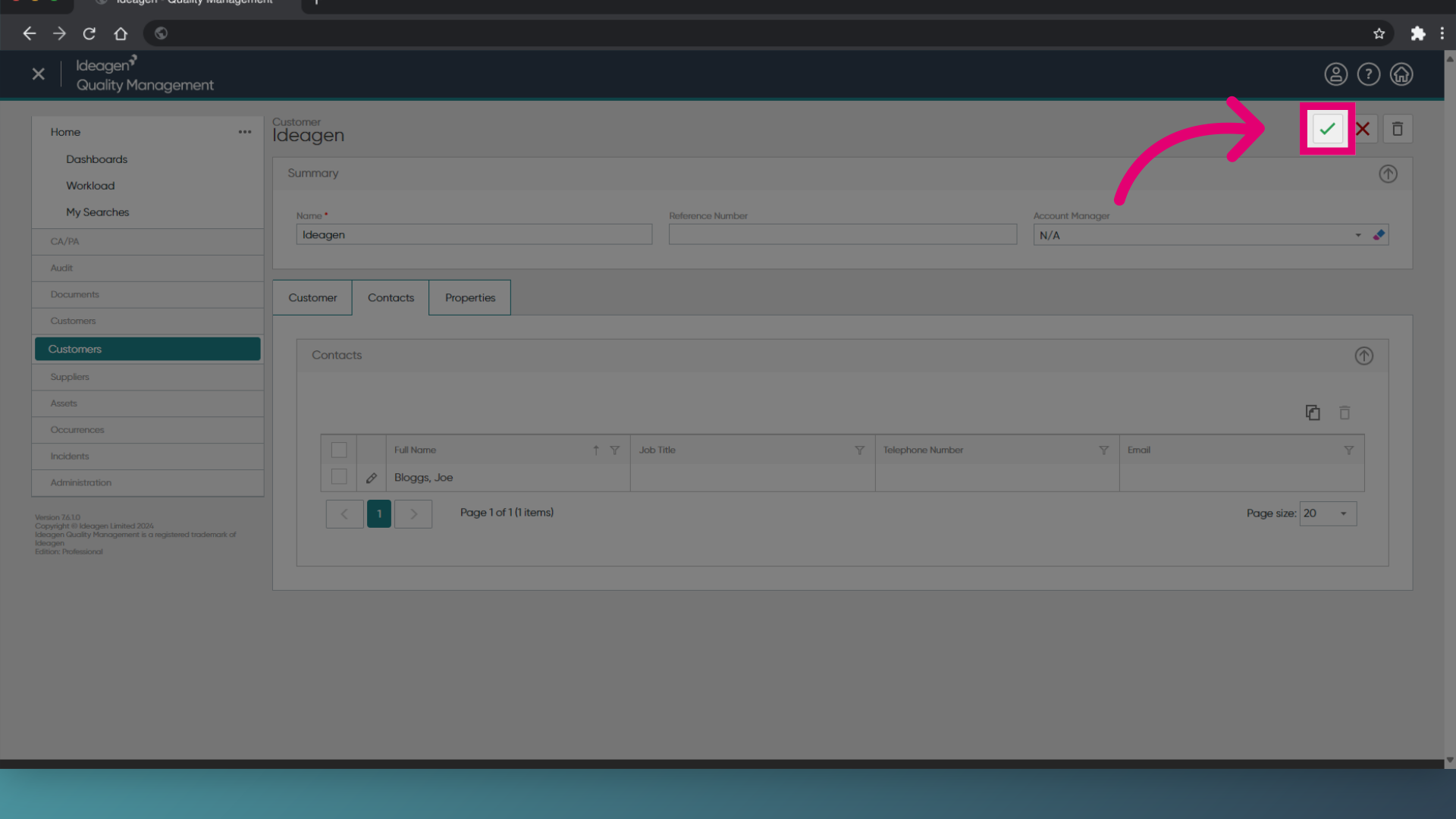
- Click the green tick to save the contact information to the customer.
1. Creating a new contact
To create a contact:
- Open the Customer module.
- Open a customer record.
- Expand the Contacts section.
- Click Add Contact.
- Enter the contact information.
- Click OK.
- Click Save.