


New article
Recently updated
Creating a new customer

Who is this article for?Users responsible for managing customer accounts.
Create Customer permissions are required.
The Customers module serves as a central hub for managing customer-related information within the quality management system.
This article outlines the various ways on how to create a new customer.
1. Creating a new customer
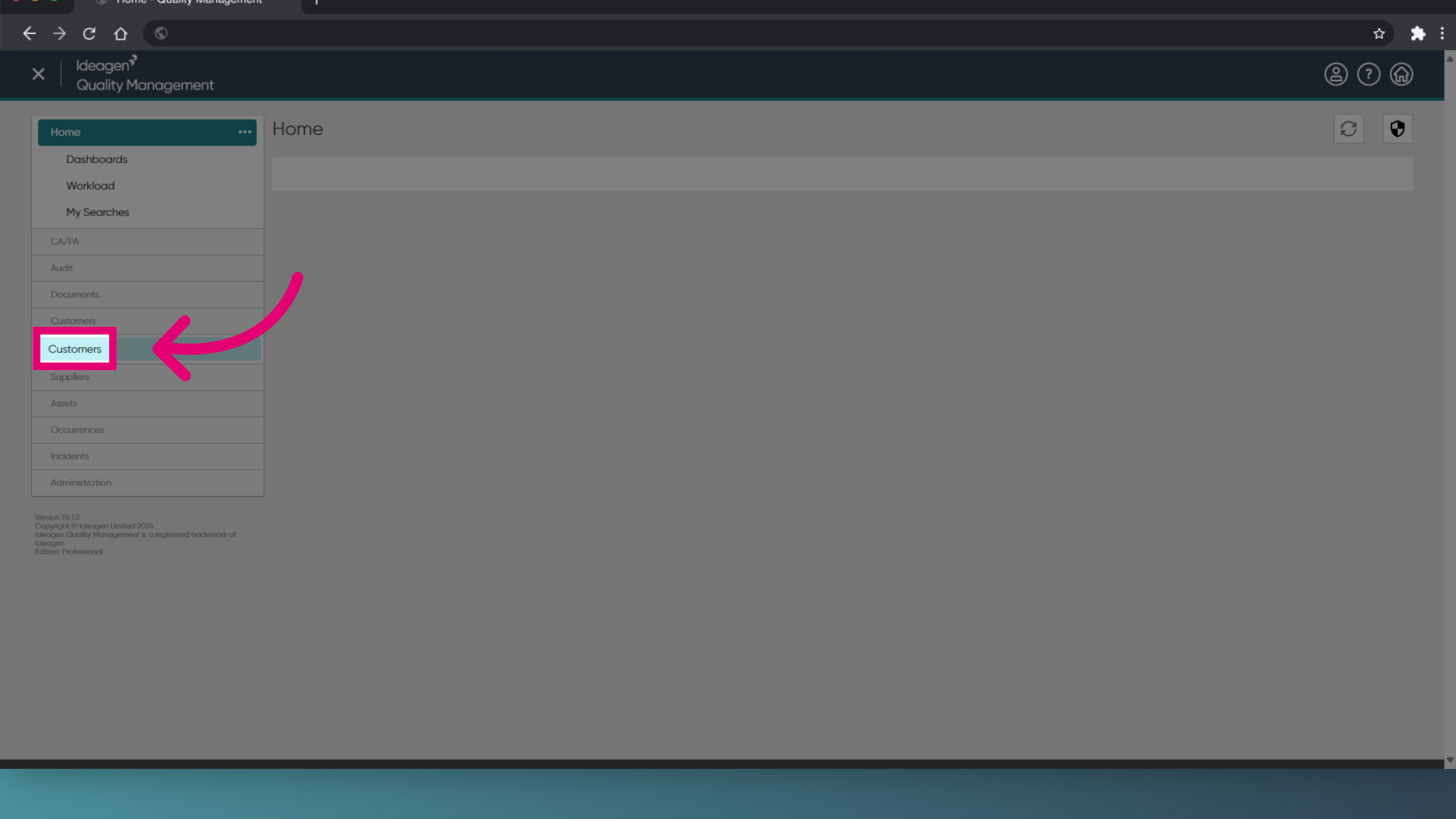
- Open the Customers module from the sidebar
- Click Customers.
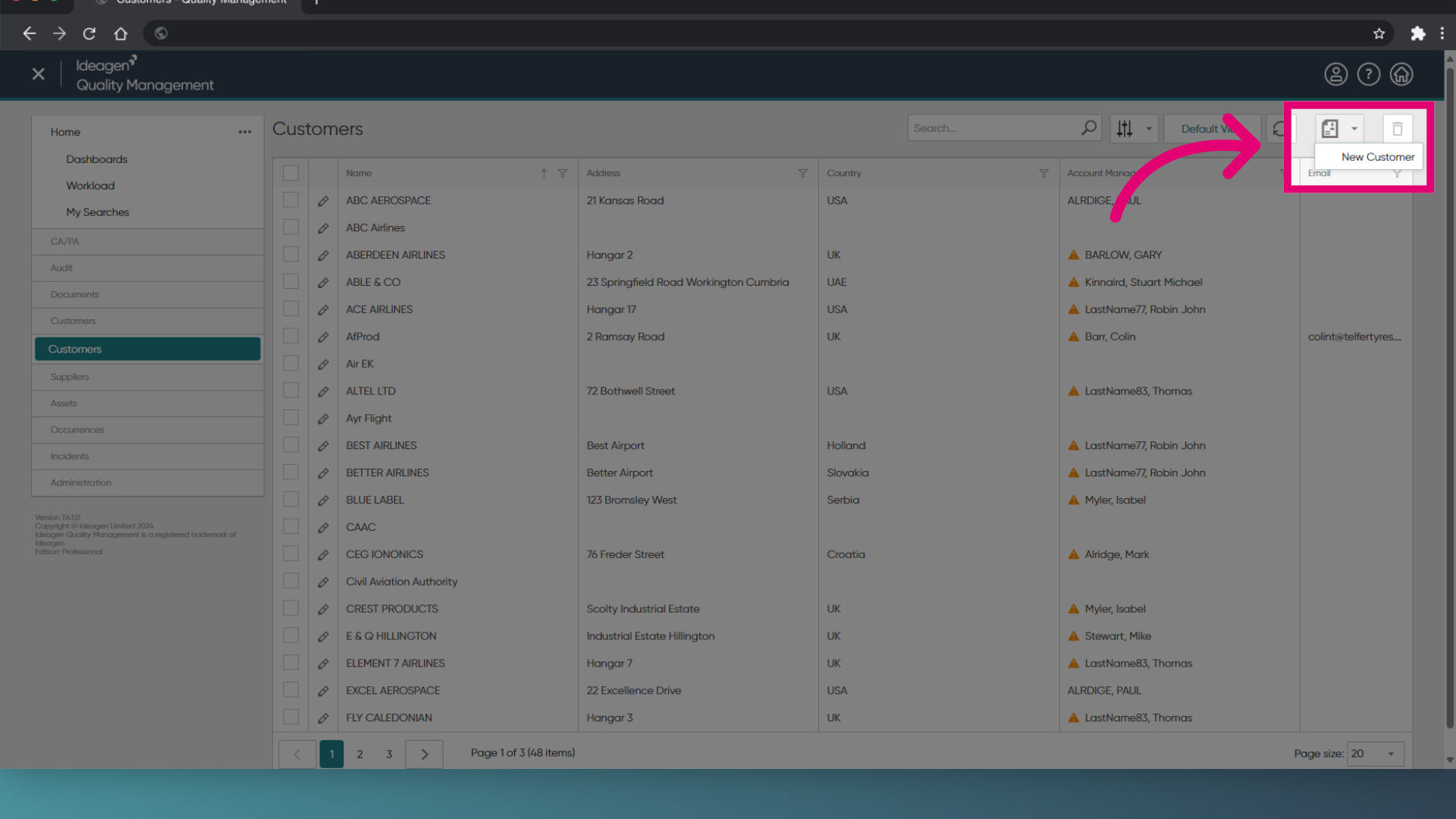
- Select the New Customer icon.
- Choose New Customer.
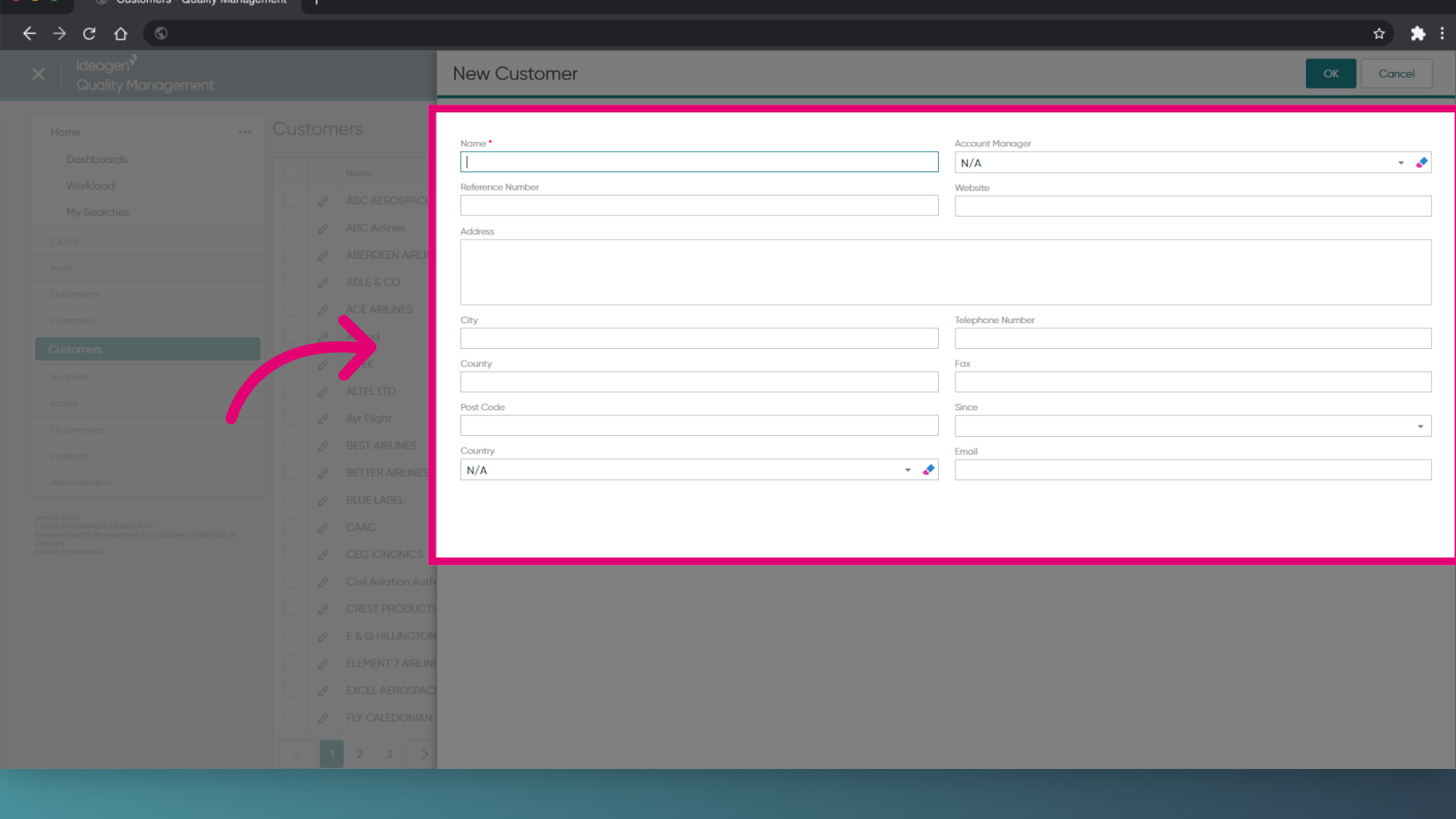
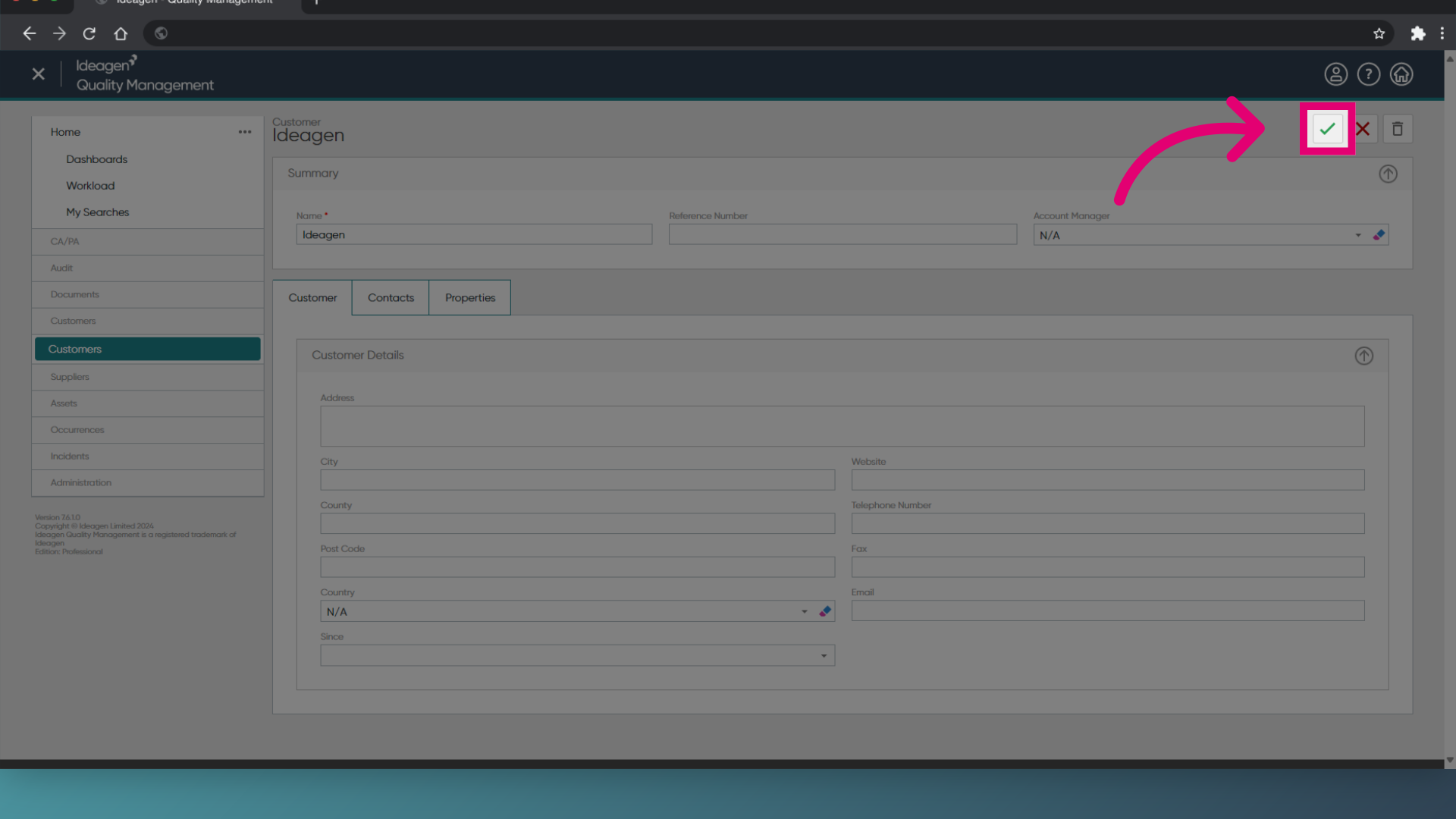
- Enter the relevant customer information.
- Click OK.
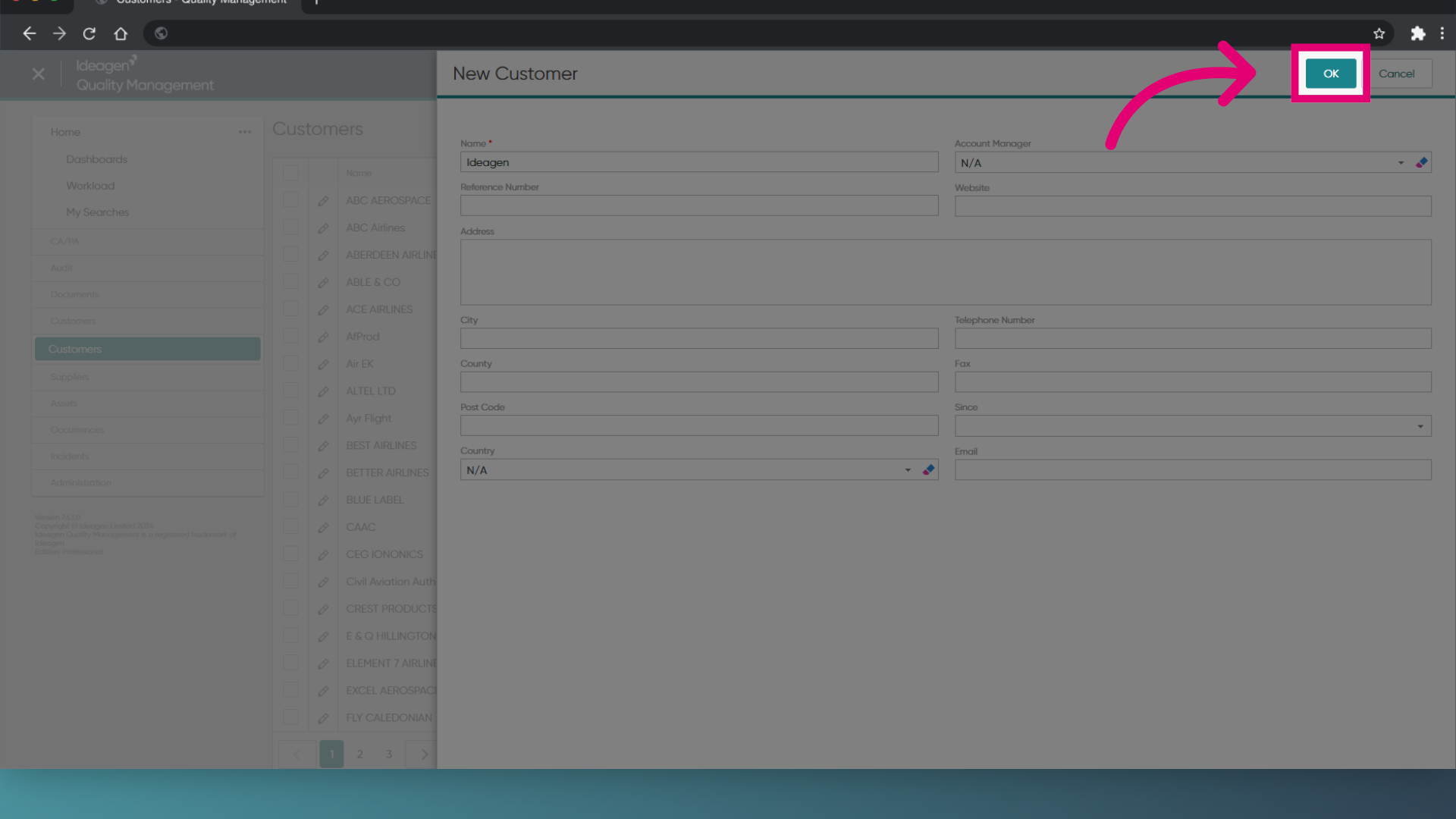
- Click on the green tick to save.
1. Creating a new customer
- Open the Customer module.
- Click File, and then New Customer.
- Enter the customer information.
- Click Save.
2. Creating a new customer from the LaunchPad
- Open the LaunchPad.
- Expand the Customers module.
- Click New Customer.
- Enter the customer information.
- Click Save.